
Overview
react-native-notti is the official React Native SDK for Notti push notifications (FCM on Android, APNs on iOS). It handles device registration, tags, external user id, subscription state, and notification received/opened/clicked events, so an integration never has to hand-roll REST calls against the Devices API directly. It's a Turbo Module (New Architecture) with a thin TypeScript facade over native Kotlin/Swift, and ships an Expo config plugin for projects that use Expo prebuild.
By default the SDK talks to Notti (https://app.zeepnotti.app), so initialize() only needs your appId and clientKey.
Requirements
- React Native with the New Architecture enabled (Turbo Modules).
- Android: a
minSdkVersioncompatible withcom.google.firebase:firebase-messaging, and a Firebase project with Cloud Messaging configured. - iOS: the Push Notifications capability enabled on your app target (APNs).
- A Notti App and its
appId/clientKey- see Get Started with Notti to create one.
Installation
npm install react-native-nottiThis installs the Turbo Module for both bare React Native and Expo. Native setup differs by path:
Bare React Native: place your App's
google-services.jsonatandroid/app/google-services.json, apply the Google Services Gradle plugin, and declare thePOST_NOTIFICATIONSruntime permission in yourAndroidManifest.xml(Android). Enable the Push Notifications capability in Xcode and forward the APNs callbacks from your ownAppDelegatetoNottiBridge/NottiPushDelegate(iOS) - the SDK deliberately avoids method swizzling, so this small amount of integrator code is required.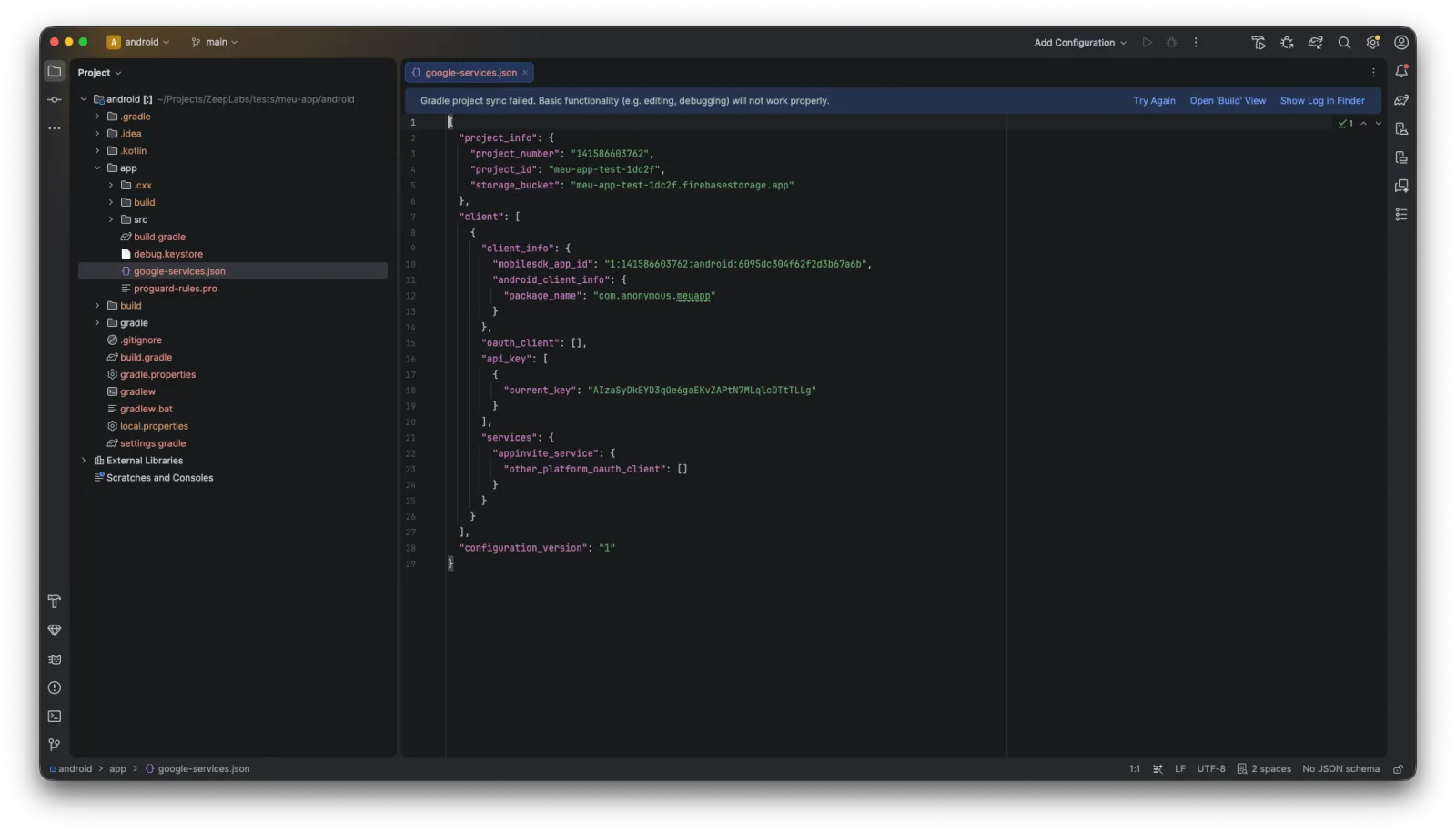
Expo: add
"react-native-notti"to yourapp.json/app.config.jsplugins array. Onexpo prebuild, the plugin applies the Google Services Gradle plugin and copies your configuredgoogle-services.json(Android), and adds theaps-environmententitlement (iOS). The Android runtime-permission declaration and the iOSAppDelegateforwarding above still apply the same way - the plugin only handles native project configuration, not that code path.
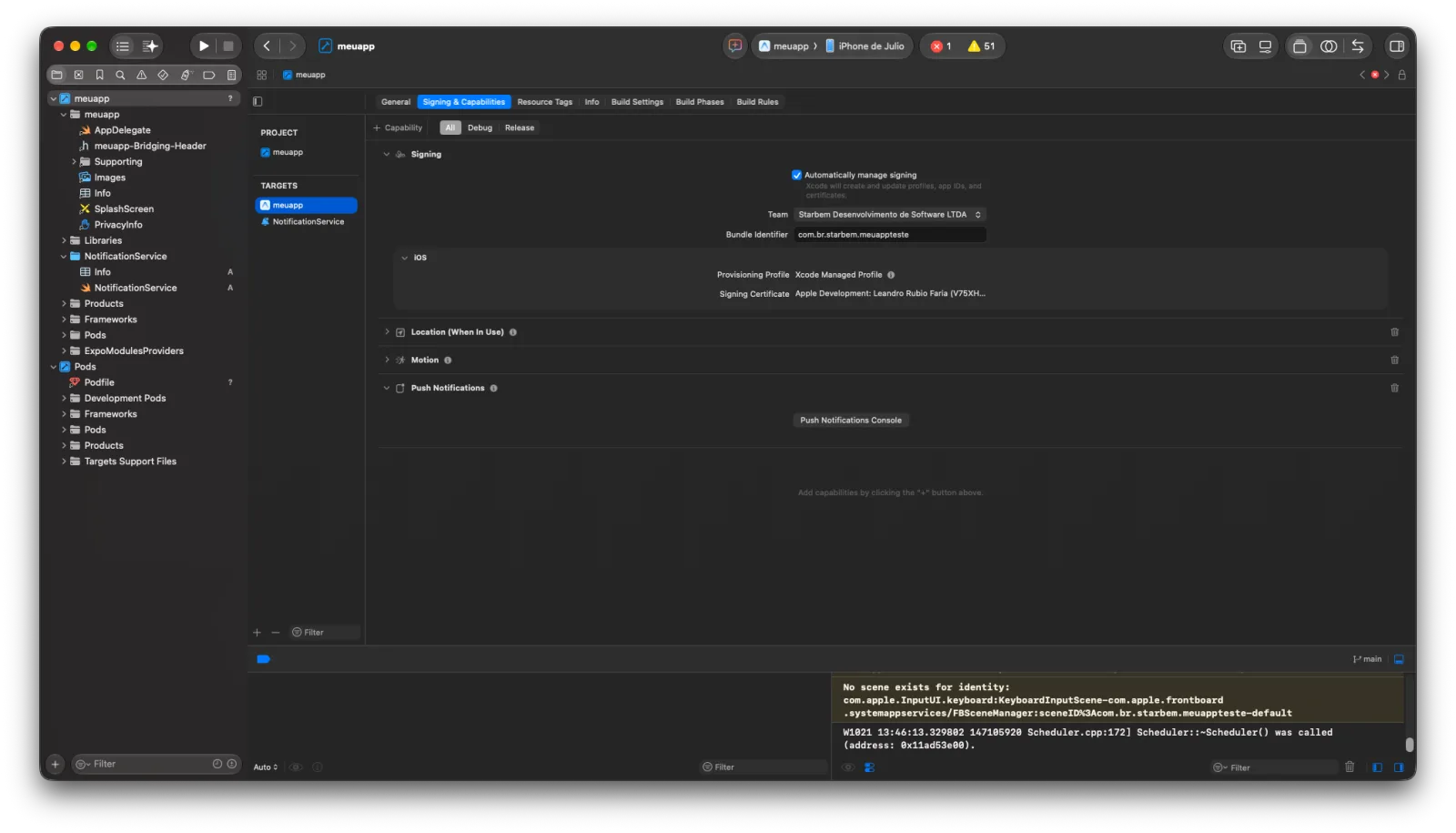
The aps-environment value the plugin writes is resolved as follows: an explicit apsEnvironment: 'development' | 'production' plugin prop wins; otherwise production only when the EAS_BUILD_PROFILE env var is exactly production; otherwise development (any other EAS profile name - preview, staging, … - or a local expo prebuild). EAS's default preview profile is ad hoc (distribution: "internal"), and ad hoc builds receive production APNs tokens while the plugin would write development; Xcode's archive/export normally rewrites aps-environment from the distribution provisioning profile, but to make the prebuild output match the distribution explicitly, pin the prop per profile in app.config.js:
const adHocOrStore = ['production', 'preview'].includes(process.env.EAS_BUILD_PROFILE);

export default {
  expo: {
    plugins: [['react-native-notti', { apsEnvironment: adHocOrStore ? 'production' : 'development' }]],
  },
};
Initializing and registering a device
Call initialize() once, e.g. at app startup, with your App's appId and clientKey (never the REST key - see the Apps API Reference for why):
import { Notti } from 'react-native-notti';

Notti.initialize('<appId>', '<clientKey>');
This registers the device with Notti using the current FCM (Android) / APNs (iOS) token. It's safe to call more than once - a repeat call with the same appId/clientKey is a no-op - and it never throws: missing or invalid arguments, or a missing native push prerequisite (no google-services.json, no APNs capability), are logged, not thrown.
Ask for the OS push permission explicitly, whenever your app is ready to show the prompt - it isn't tied to initialize():
const granted = await Notti.requestPermission();Tags, external user id, device id, and subscription state
// Tag the device for Notti Segments (see /api-reference/segments).
Notti.User.addTag('plan', 'vip');
Notti.User.addTags({ plan: 'vip', region: 'br' });
Notti.User.removeTag('plan');
Notti.User.removeTags(['plan', 'region']);

// Associate the device with your own user id.
Notti.login('external-user-123');
Notti.logout();

// The Notti-internal device id your own backend needs to route
// notifications to this device.
const deviceIdChanged = Notti.addEventListener('deviceIdChanged', (id) => {
  console.log('Notti device id', id);
});
const deviceId = Notti.getDeviceId();
deviceIdChanged.remove();

// Enable/disable delivery without unregistering the device.
Notti.setSubscription(true);
All of these mutations are serialized client-side (one in-flight network call at a time, last-write-wins on the merged local state), so calling them back-to-back is safe. logout() unlinks the device from the user on the Notti backend too: it sends external_user_id: null, so pushes sent to the previous user by external_user_ids stop reaching this device. Tags and the subscription are kept. If the device is offline or the call fails, the clear is re-sent at the next registration. SDK versions released before this behavior clear the id only locally, and the Device row keeps the previous value until a new login().
getDeviceId() is a cached, synchronous read that returns null until registration assigns one (no network round-trip). Subscribe to 'deviceIdChanged' before calling it: registration can complete between the two calls, and the event does not replay a value already assigned. The event also fires when the id later changes (reinstall, device change, revocation/renewal).
Handling notification events
const received = Notti.addEventListener('notificationReceived', (payload) => {
  console.log(payload.title, payload.body, payload.data);
});
const clicked = Notti.addEventListener('notificationClicked', (payload) => {
  console.log(payload.title, payload.body, payload.data);
});

// Call .remove() when done listening, e.g. in a useEffect cleanup.
received.remove();
clicked.remove();
'notificationReceived' fires in the foreground; 'notificationClicked' fires whenever the app is already running (backgrounded or foregrounded) and the user taps the notification. Neither fires for a cold-start tap - the tap that launches the app happens before any listener can be registered. Check for that case once at startup instead:
Notti.getInitialNotificationClick().then((payload) => {
  if (payload) {
    console.log('app was launched by a notification tap', payload);
  }
});
This resolves the notification that cold-launched the app, or null if the app wasn't launched that way, and only resolves once per cold start
- the native side clears it after this call reads it.
The payload is { title?: string | null; body?: string | null; data?: { [key: string]: string } }. Both platforms deliver a missing title/body as null (not undefined), so compare with == null (or ?? fallback) rather than === undefined.
'deviceIdChanged' is a separate event you can listen to alongside the notification events - it fires when the device id is first assigned or later changes (see device id).
Notification event (CTR) reporting
The SDK automatically reports click-through metrics back to Notti - there is no JS API for this, and no action is required beyond initialize(). For every push whose data payload carries both notification_id and delivery_id (set by Notti when the push was sent through the Notifications API), the SDK calls POST /v1/apps/{appId}/notifications/{notification_id}/events with the device's current push token:
openedandclicked- the user tapped the notification body (default action), in the foreground, background, or from a cold start. One tap reports both events for the same Delivery.clickedonly - the user tapped a custom action button (iOS).received- the notification arrived while the app was in the foreground. Notifications delivered while the app is backgrounded or killed are not reported asreceived.
Dismissals are not reported.
SDK versions up to 0.5.0 report only clicked for a body tap. The backend counts a Delivery as opened when it has an opened or a clicked event, and as clicked when it has a clicked event, so CTR keeps its meaning across SDK versions and open rate equals CTR for every SDK version today. SDK 0.6.0 and later also report opened.
Delivery is durable but best-effort: events are persisted to disk before the first network attempt, retried with the same backoff as device registration (see Retry policy below), and re-sent on the next app launch or network change if they didn't go through. Because of this, the backend may receive the same event more than once (at-least-once delivery) - CTR figures in the Notifications API (delivered_count, received_count, ctr) are computed to tolerate that. delivered_count counts Deliveries the provider accepted; received_count counts distinct devices that reported received.
Location-based segmentation (opt-in)
setLocationSharingEnabled lets a device's approximate country be used for Segment targeting. It is off by default and the SDK never requests OS location permission itself:
// Opt in - requires the host app to already hold OS location permission.
Notti.setLocationSharingEnabled(true);

// Opt out - clears any previously reported country server-side.
Notti.setLocationSharingEnabled(false);
With opt-in enabled, at the next session start the SDK reads the device's last cached location fix (no active location request, no background tracking) and reverse-geocodes it on-device to an ISO 3166-1 alpha-2 country code, which is the only value sent to Notti - raw coordinates are never sent or stored. If the host app has no location permission, location services are off, or there's no cached fix, the field is simply omitted - no prompt, no error.
Opting out takes effect immediately and durably: the device's country is cleared server-side even if the device is offline or the app is killed mid-request, by re-sending the pending clear on the next registration/foreground/network-regain.
Host-app requirements:
- iOS: request location permission yourself and declare
NSLocationWhenInUseUsageDescriptioninInfo.plist. - Android: declare and request
ACCESS_COARSE_LOCATION(orACCESS_FINE_LOCATION) yourself - the SDK's manifest does not declare it.
Retry policy
All HTTP calls the SDK makes - device registration, every device update (tags, subscription, telemetry, country), and CTR events - share one retry loop: up to 5 attempts with exponential backoff (2s, 4s, 8s, 16s) on network errors, 5xx, 408, and 429. Any other 4xx is terminal and is not retried.
Rich push notifications (iOS)
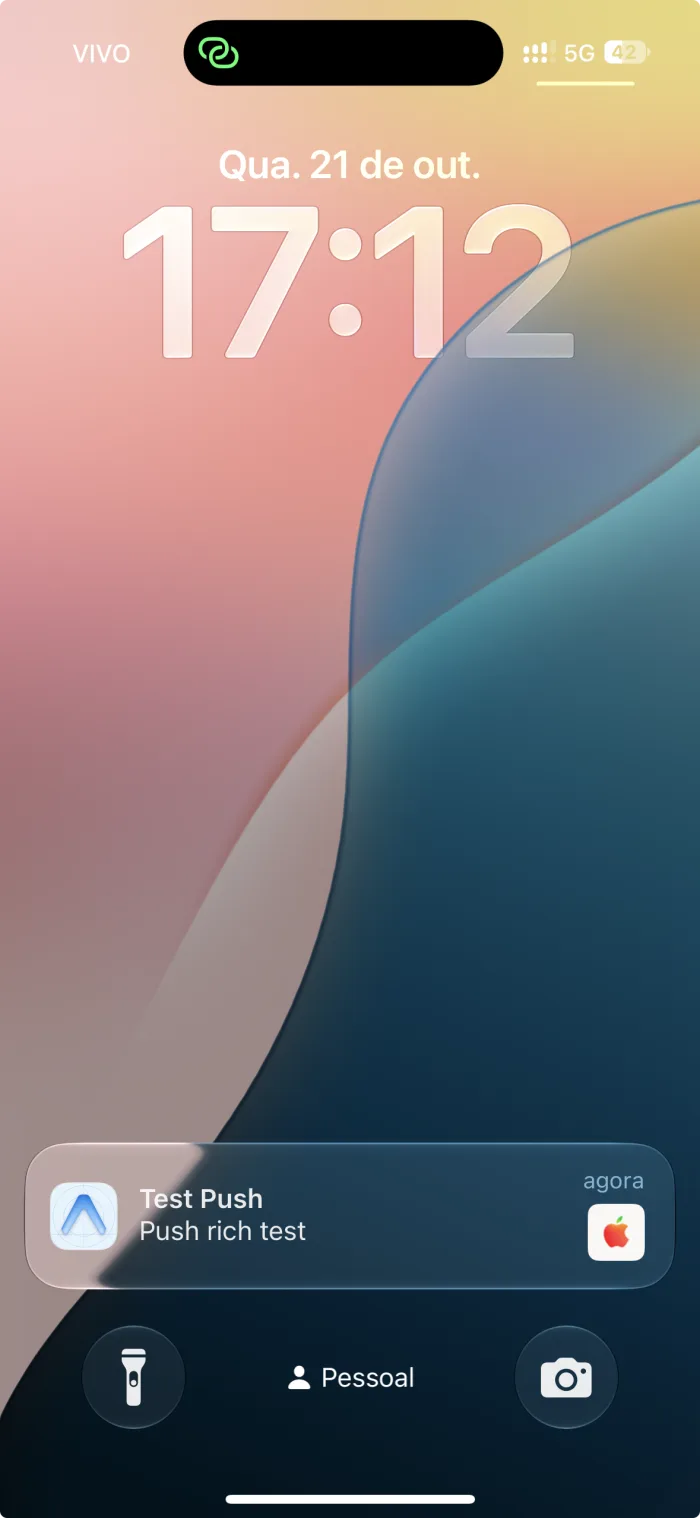
Attaching an image/video/audio to a push on iOS requires a Notification Service Extension (NSE) - a separate app-extension target Apple requires for downloading and attaching media before the notification is shown. The SDK ships this as a helper you wire into a target you create yourself; it is not something a Turbo Module can inject into your Xcode project automatically.
Not supported in an Expo managed workflow - this requires manually creating a native Xcode target, and
expo prebuildwould destroy it. Bare React Native (or an ejected Expo app) only.
In Xcode: File > New > Target… > Notification Service Extension.
Set the extension's iOS Deployment Target to the same version as your app: Xcode defaults it to the newest iOS, and the extension would not load on devices running an older version.
If the build fails with
Sandbox: bash deny(1) file-write-create .../Pods/resources-to-copy-..., set Build Settings > User Script Sandboxing to No on the extension target: CocoaPods' resource-copy script cannot write toPods/with the sandbox on.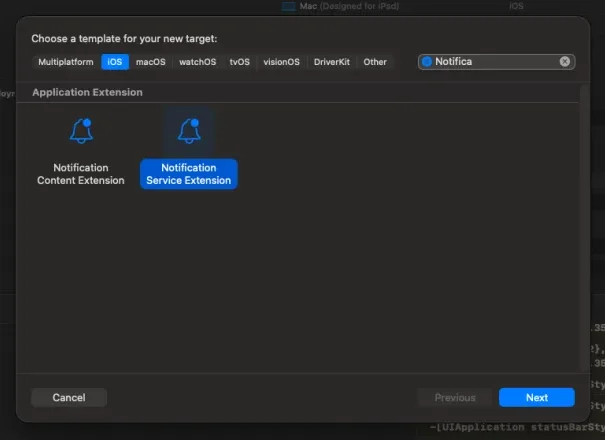
Add it to your Podfile, in its own target:
rubytarget 'NotificationService' do pod 'Notti/NotificationServiceExtension', :path => '../node_modules/react-native-notti' endReplace the generated extension body:
swiftimport UserNotifications import Notti @objc(NotificationService) class NotificationService: UNNotificationServiceExtension { var contentHandler: ((UNNotificationContent) -> Void)? var bestAttemptContent: UNMutableNotificationContent? override func didReceive( _ request: UNNotificationRequest, withContentHandler contentHandler: @escaping (UNNotificationContent) -> Void ) { self.contentHandler = contentHandler bestAttemptContent = request.content.mutableCopy() as? UNMutableNotificationContent NottiNotificationServiceExtension.didReceive(request, withContentHandler: contentHandler) } override func serviceExtensionTimeWillExpire() { guard let contentHandler else { return } NottiNotificationServiceExtension.serviceExtensionTimeWillExpire( for: bestAttemptContent, contentHandler: contentHandler ) } }The
@objc(NotificationService)name is required - without it, iOS silently fails to instantiate the extension at runtime.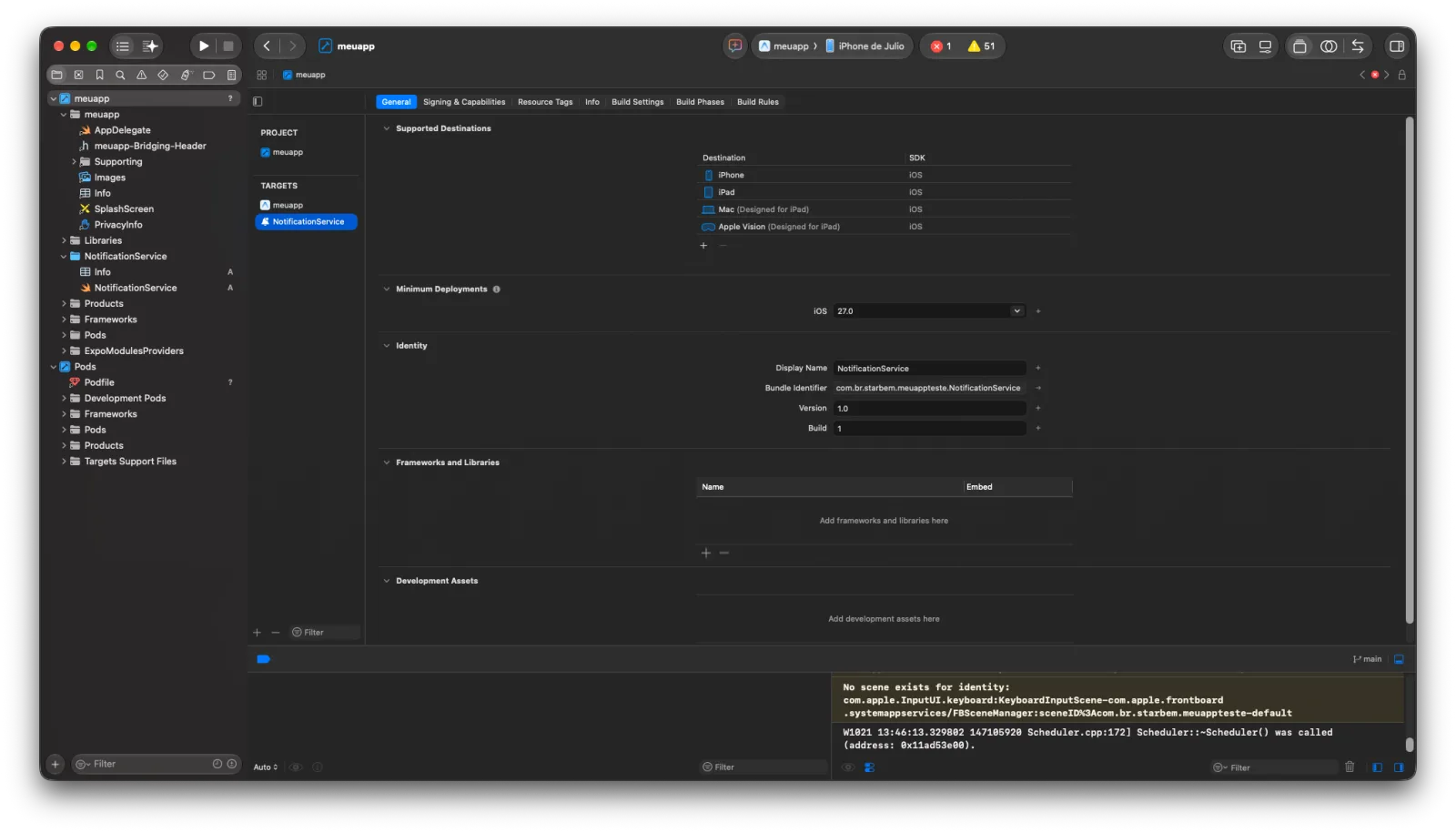
Only https:// attachment URLs are downloaded (10 MB cap); anything else falls back to the plain notification. A Notification Service Extension does not run in the iOS Simulator - test on a physical device.
The podspec is split into two subspecs: Notti/Core (the Turbo Module; the default_subspec, so plain pod 'Notti' and autolinking keep resolving to it) and Notti/NotificationServiceExtension (the helper above, with no React dependency). Podfiles that pin subspecs explicitly must include Core in the app target. Notti/Core links CoreLocation and references location APIs even if you never opt in to country reporting - App Store Connect upload validation may therefore warn about a missing location purpose string (ITMS-90683) for any app using this SDK; declaring NSLocationWhenInUseUsageDescription avoids that.
Privacy, App Store labels and LGPD
This is not legal advice - validate with your own legal/DPO team before shipping.
- The SDK automatically collects, with no opt-out in this version: push token, platform, app version, and session aggregates (session count, cumulative foreground time, first/last session timestamps) used for CTR and engagement metrics.
- An In-App button with the
push_permissionaction asks for the OS notification permission or opens the app's notification settings. It collects and sends nothing new: the SDK already reportspermission_statusas part of the device profile, and the system dialog is the user's own choice. The click listener receives that click withaction: null. setLocationSharingEnabled(above) is the one opt-in: when enabled, only an ISO country code is sent, never coordinates.- For App Store "nutrition" labels and Google Play's Data safety form, this typically maps to: Usage Data / Product Interaction (CTR, session data), Identifiers / Device ID (and User ID if you call
login), and Location / Coarse Location if you enable country reporting. - The SDK does not collect consent and does not decide a legal basis for you - the integrator is responsible for the privacy notice, consent flow, and retention policy for this data under LGPD (or equivalent).
Known limitations
- No reliable acknowledgement for
app_version. The backend accepts the telemetry fields and persists them, and the device PATCH response echoesapp_versionback, but the SDK does not compare it: it treats any 2xx as acknowledged and does not re-send it until the value changes. Session snapshots are cumulative and re-sent at every session end, so they are not affected the same way. - One bad CTR event can stall the event queue. Events are flushed in order and a flush stops at the first non-terminal failure; an event that deterministically gets
5xx/429blocks the events behind it until 32 newer events push it out of the on-disk queue. - A pending country clear that gets a permanent
4xxis re-sent on every trigger (registration, app foreground, network regain), because the flag is only cleared on a 2xx. - Events are delivered at-least-once: a duplicate report for the same
received/opened/clickedevent is possible after a crash between a successful send and local cleanup. CTR metrics are computed to tolerate this. - Not yet validated on real devices in every scenario: session close on cold start / process kill, iOS background delivery under a slow network, and the
aps-environmentvalue in an EASpreviewbuild.
Without APNs forwarding
If the iOS AppDelegate forwarding step above is skipped, initialize() still registers the device - with a subscribed: false state - but push delivery won't complete until the callbacks are wired.